
Buying desktop speakers in Malaysia is less about choosing the largest wattage and more about connecting the equipment already on your desk. Edifier R20BT Black, Edifier R1700BTs Wood and Edifier M90 Black address three different problems: simple USB computer audio, analogue-source music listening and a shared computer/TV setup. These are separated left/right stereo systems, not portable battery speakers or soundbars.
Our best overall pick is M90 if you need several wired sources. R20BT is the budget choice for close-up computer listening. R1700BTs is the situational value pick for RCA-equipped sources and a possible external subwoofer. This is a specification-led buying comparison, not a listening test; we have not measured bass extension, latency or maximum volume. Prices below are single observed Malaysian offers checked on 7 October 2026, not a claimed market-wide range.
Compare connections before power
| Exact product | Checked price | Total RMS | Wired inputs | Wireless | Useful control or expansion |
|---|---|---|---|---|---|
| Edifier R20BT Black | RM249 | 5W | Attached USB for audio/power; AUX | Bluetooth 6.0; two-device multipoint | Headphone/mic jack; switchable lighting; ConneX/TempoHub |
| Edifier R1700BTs Wood | RM659 | 66W | Two RCA input pairs | Bluetooth 5.0; aptX HD with compatible source | Sub Out; remote; side volume/bass/treble knobs |
| Edifier M90 Black | RM899 | 100W | HDMI eARC, optical, USB-C, AUX | Bluetooth 6.0; LDAC with compatible Android; app-enabled multipoint | Sub Out; 2.4GHz remote; ConneX; TV CEC control when enabled |
RMS numbers are manufacturer system totals, not per-speaker output and not proof of sound quality. A Bluetooth version does not establish gaming latency or guarantee a particular codec on your phone. USB on R20BT carries power and audio; do not automatically assume every USB socket on a display can serve as an audio source.
Edifier R20BT Black: spend less when the computer is the source
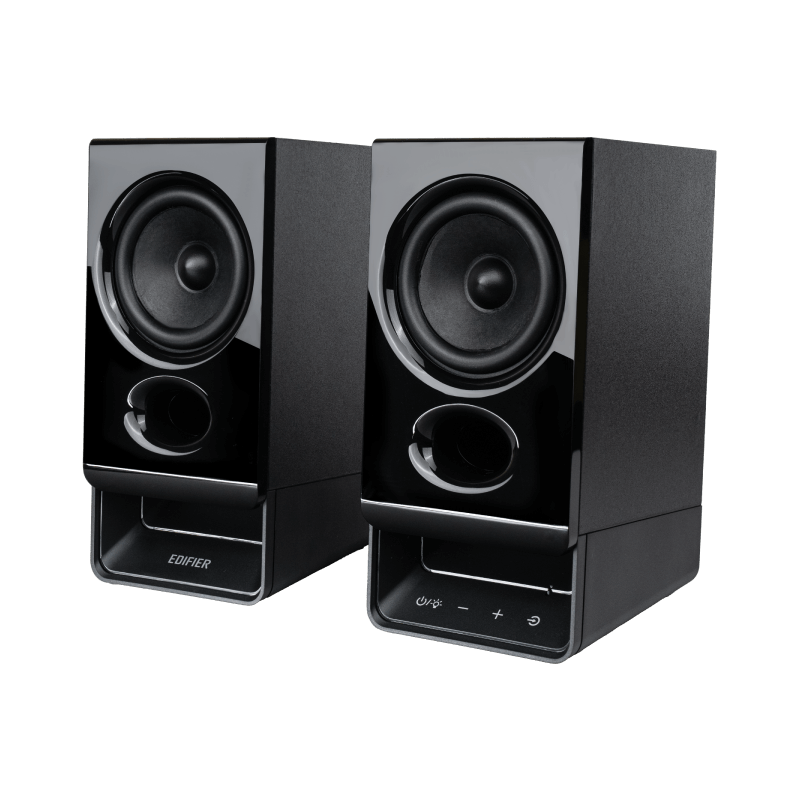
At RM249, R20BT combines an attached USB cable for power and audio with 2.75-inch full-range drivers, bass-reflex ports and an MDF enclosure. The practical advantage is a direct computer connection without buying a separate desktop amplifier. Edifier specifies a 1.5m USB cable and a 1.8m inter-speaker cable, so map the path around the monitor before deciding which side gets the control speaker.
Its 5W RMS total is a different scale from the other two systems. Buy it for near-field desk use, voice content and everyday background listening rather than because you expect the output headroom of a 66W or 100W pair. We cannot promise that it fills a large room or reproduces deep bass simply because it has a reflex port. Bluetooth multipoint keeps two devices connected, but does not mean two audio streams are mixed at once.
Pros: useful desk conveniences
The four-pole 3.5mm headphone jack supports wired headphones with or without a microphone, offering a convenient route for private listening and communication. AUX gives another wired option. Lighting can be changed or switched off, while ConneX and TempoHub allow sound-profile and lighting adjustments. Those features matter more at a shared desk than a headline about Bluetooth alone.
Cons: limited room-growth path
The cited R20BT sources establish neither HDMI eARC nor an external-subwoofer output. Do not buy it expecting the same TV integration or bass-expansion route as M90. An attached USB cable is convenient but also ties the layout to that cable length. If your main task is room-scale music, or your TV only offers optical/HDMI audio, move to a model with the required verified input.
Buy: a straightforward USB computer setup with modest volume needs. Avoid: paying for adapters to force a digital TV connection onto a budget desktop pair.
Edifier R1700BTs Wood: the analogue-source specialist
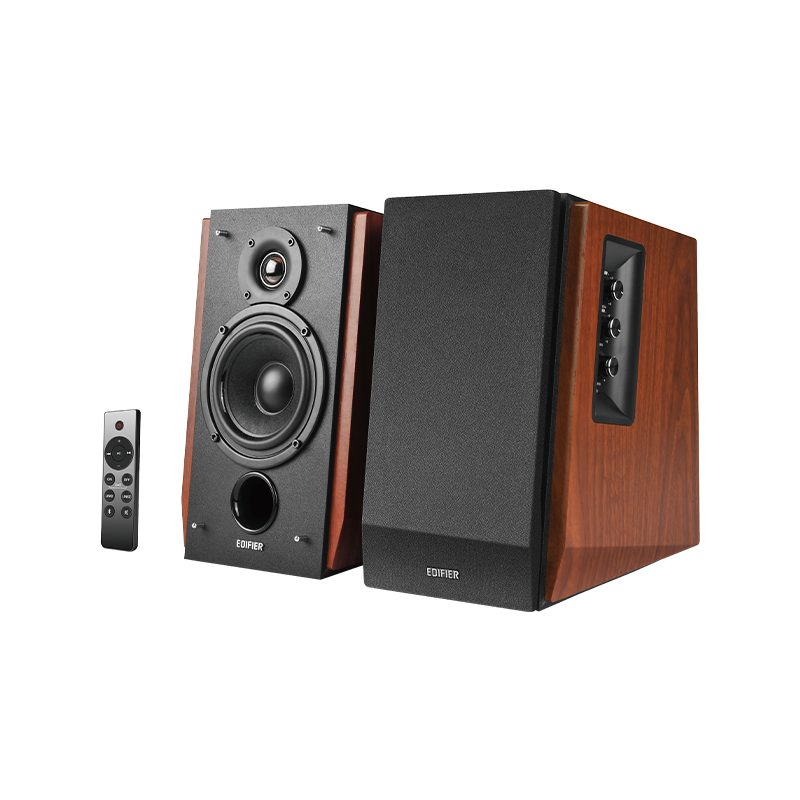
R1700BTs costs RM659 at the Malaysian brand store and was explicitly in stock when checked. The final “s” is important: this comparison uses the Sub Out version, not the older R1700BT. It has dual RCA input pairs, Bluetooth 5.0 with aptX HD support, 4-inch mid/bass drivers, 19mm silk-dome tweeters and a 66W RMS system rating. DSP and DRC are listed; they are processing features, not evidence from our own distortion measurements.
The 10-degree cabinet incline directs the drivers upward towards a seated listener. That makes desk placement a meaningful part of this model’s appeal, although you should still check ear height and avoid hiding a speaker behind the screen. Side bass, treble and volume knobs are useful when you want adjustments without opening a phone app, and the included remote provides another control route.
Advantages: keep two analogue sources connected
Two RCA input pairs can accommodate, for example, a computer’s analogue output via the appropriate cable and a line-level source. A turntable must supply a suitable line-level signal through its own phono stage or an external phono preamp; the speaker’s RCA socket is not proof of a built-in phono stage. The Sub Out port gives an external-subwoofer path, but the extra subwoofer is not included in this comparison price.
Drawbacks: the digital-input gap
The verified input list here does not include optical, USB audio or HDMI eARC. If a TV and a USB-only computer are central to your setup, buying R1700BTs merely for its power may leave you spending again on conversion hardware. aptX HD requires a compatible transmitter; do not promise that every iPhone or laptop will use it. Choose this pair because RCA and physical tone controls fit your sources, not as an all-connection winner.
Buy: desktop music with analogue sources and optional future bass expansion. Avoid: a digital-first computer/TV system where M90’s native inputs remove adapter clutter.
Edifier M90 Black: the most complete connection hub
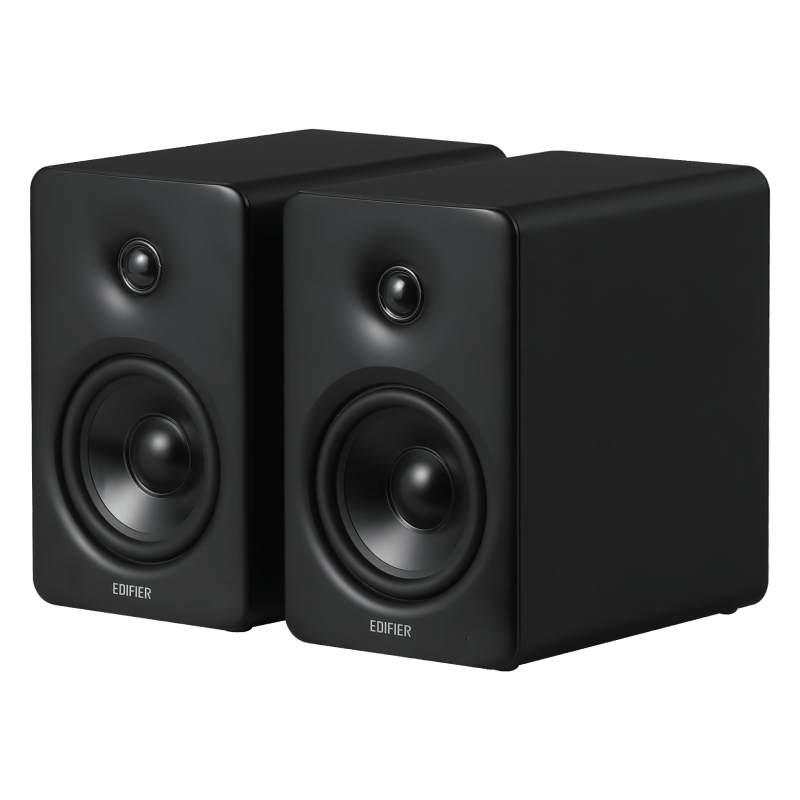
M90 is the best overall choice for a mixed-source desk at RM899. Its HDMI eARC, optical, USB-C and AUX inputs are the decisive upgrade over R1700BTs; Bluetooth 6.0 is an additional route rather than the reason to pay more. Edifier lists 4-inch aluminium mid/bass drivers, 1-inch silk-dome tweeters, 100W RMS total and 24-bit/96kHz digital processing. Per-speaker dimensions are 133 × 212 × 225mm: leave space behind each 225mm-deep cabinet for cables rather than treating a shipping-carton measurement as desk size.
For a nearby compatible TV, HDMI eARC plus enabled CEC allows TV-remote power, mute and volume control. Verify the TV port and settings first; an ordinary HDMI socket is not automatically eARC. On a computer, USB-C provides a listed audio input, but confirm the host’s connection and supplied cable before assuming that any USB-C cable or charging-only port works.
Pros: pay for fewer compromises
The included 2.4GHz remote is useful without pointing at the front, and ConneX adds source and sound-effect controls. The Sub Out port supports an external subwoofer later. LDAC is specified for compatible Android sources, with Android 8.0 or later cited by Edifier; it is not a universal phone feature. Multipoint can be enabled through the app. These are tangible routing and control advantages, not a substitute for auditioning the tonal balance.
Cons: overbuying for a single basic task
If you only watch videos quietly on a computer, the RM650 gap over R20BT buys connections and output capacity you may never use. M90 is not a portable battery speaker and the quoted package does not include an external subwoofer. Its larger feature set also means checking input selection and TV settings, not merely connecting Bluetooth once and declaring every use case solved.
Buy: one pair shared between computer, digital source and compatible TV. Avoid: paying the premium solely for a bigger RMS number when your sources need only USB and near-field volume.
What the price differences actually buy
The RM410 step from R20BT to R1700BTs purchases a two-way, higher-output architecture, dual RCA inputs, physical tone controls and a subwoofer-output route; it does not purchase USB audio or eARC. The next RM240 to M90 is particularly defensible when HDMI/optical/USB-C eliminates an adapter problem. For an analogue-only listener, that same RM240 may be unnecessary. The RM650 R20BT-to-M90 jump should be justified by an actual source plan, not feature collecting.
Malaysia stock, warranty and delivery checks
Edifier Malaysia showed R20BT Black at RM249 and M90 Black at RM899 as purchasable, in stock and not on backorder in its public exact-variant store data; R1700BTs showed RM659 and “In stock” on its original product page. This confirms an online offer, not stock at a selected Kuching shop or confirmed delivery to your postcode. Ignore urgency widgets about recent sales. Recheck shipping charges, vouchers and the exact colour/suffix at checkout, and confirm the package is the stereo pair rather than an accessory or a different model.
The official Malaysia warranty-registration page asks for purchase date, ESN number and a receipt/proof of purchase. Keep those records and ask the seller to confirm local warranty duration, exclusions, service location and Sarawak return freight before payment. The pages reviewed did not establish a model-specific warranty period, so we do not invent one. A cheaper imported offer is not automatically equivalent to the same local support route.
Final verdict: buy the connection you need
Choose M90 for the strongest all-round computer/TV connection set; choose R20BT to keep a basic USB desk setup affordable; choose R1700BTs when two RCA sources, angled wooden cabinets and a Sub Out route match the way you listen. Wired connectivity should lead this decision. None of the recommendations rests on invented hands-on listening results.
Price and availability sources: R20BT Malaysia, R1700BTs Malaysia and M90 Malaysia, checked 7 October 2026. Specifications: linked Edifier manufacturer pages beside each image. Malaysia warranty registration. Price and stock can change.
Pingback: Pembesar Suara Meja Malaysia: Edifier R20BT, R1700BTs atau M90? - Eazy Picks
Pingback: 马来西亚电脑桌喇叭怎么选?Edifier R20BT、R1700BTs 与 M90 对比 - Eazy Picks