
Quick select
This article contains affiliate links. We may earn a commission if you buy through them, at no extra cost to you.
Webcams in Malaysia is the focus of this guide, with practical comparisons of specifications, prices, strengths and trade-offs. Looking for a webcam in Malaysia is less about chasing the biggest number on a box and more about matching the camera to your calls, classes or streams. This September 2026 shortlist uses reference prices of roughly RM179, RM309 and RM499 for three Logitech models; these are guide prices, not verified live offers. Shopee vouchers can move the checkout total, while seller bundle, invoice and delivery terms can change the real value. Lighting and microphone distance often improve a meeting more than paying for a premium camera, so the right recommendation depends on the problem you actually need to solve.
| Product | Guide reference price (RM) | Video modes | Field of view and focus | Microphone | Privacy and mounting | Best match |
|---|---|---|---|---|---|---|
| Logitech Brio 105 Business Webcam | ~RM179 | 1080p/30 or 720p/30 | 58° diagonal; fixed focus | Omnidirectional, up to 1 m | Shutter and monitor clip; no tripod mount | Lowest-cost solo calls |
| Logitech Brio 300 Full HD Webcam | ~RM309 | 1080p/30 or 720p/30 | 70° diagonal; fixed focus | Noise-reducing mono, up to 1.22 m | Rotating shutter and clip; no tripod mount | Everyday USB-C desk calls |
| Logitech C922 Pro Stream Webcam | ~RM499 | 1080p/30 or 720p/60 | 78° diagonal; autofocus | Dual stereo | No privacy shutter; clip and ¼-inch tripod mount; confirm tripod bundle | Streaming and moving presenters |
How to choose a webcam for a Malaysian desk
The first question is connection. Brio 105 uses an attached 1.5 m USB-A cable, and Brio 300 uses an attached 1.5 m USB-C cable. That makes the Brio 300 neater for a newer laptop or dock, but it does not automatically make its picture sharper: both Brio models are 2MP cameras limited to 30fps at 1080p. Check your computer port before ordering because an adapter can add clutter and another point of failure.
Next, consider framing and focus. A 58° view keeps the Brio 105 tightly on one person, whereas Brio 300 gives 70° and C922 gives 78°. Fixed focus is fine when you sit at a consistent distance, but it is less forgiving if you lean forward to show a document. C922 autofocus and its glass lens are useful for a presenter who changes position. Its 720p/60 mode can make camera-captured motion look smoother for streaming, while 1080p/30 offers more image detail. This changes the webcam feed, not the frame rate of a separately captured game. None of these figures replaces a lamp aimed at your face; a bright window behind you can still make every webcam struggle.
Audio deserves a separate check. The Brio 105 has one omnidirectional microphone rated around 1 m, and Brio 300 has a mono microphone rated around 1.22 m. They are convenient for a solo desk, but a headset may reject fan noise and keyboard sound better. C922’s dual stereo microphones give a creator more flexible pickup, yet echo and room acoustics still matter. For a long meeting, place the microphone close to your mouth before assuming a new webcam will cure distant or hollow sound.
Check the whole setup: Logitech lists Windows, macOS and ChromeOS support for both Brio models, but Logi Tune is not available on ChromeOS. A matching USB connector alone does not establish phone, TV or console compatibility. C922 autofocus adjusts sharpness, not framing: it does not pan to follow you. Select 720p/60 in a compatible recording app when you need it, then check the recorded output; a meeting service can limit the transmitted resolution or frame rate.
1. Logitech Brio 105 Business Webcam — best budget
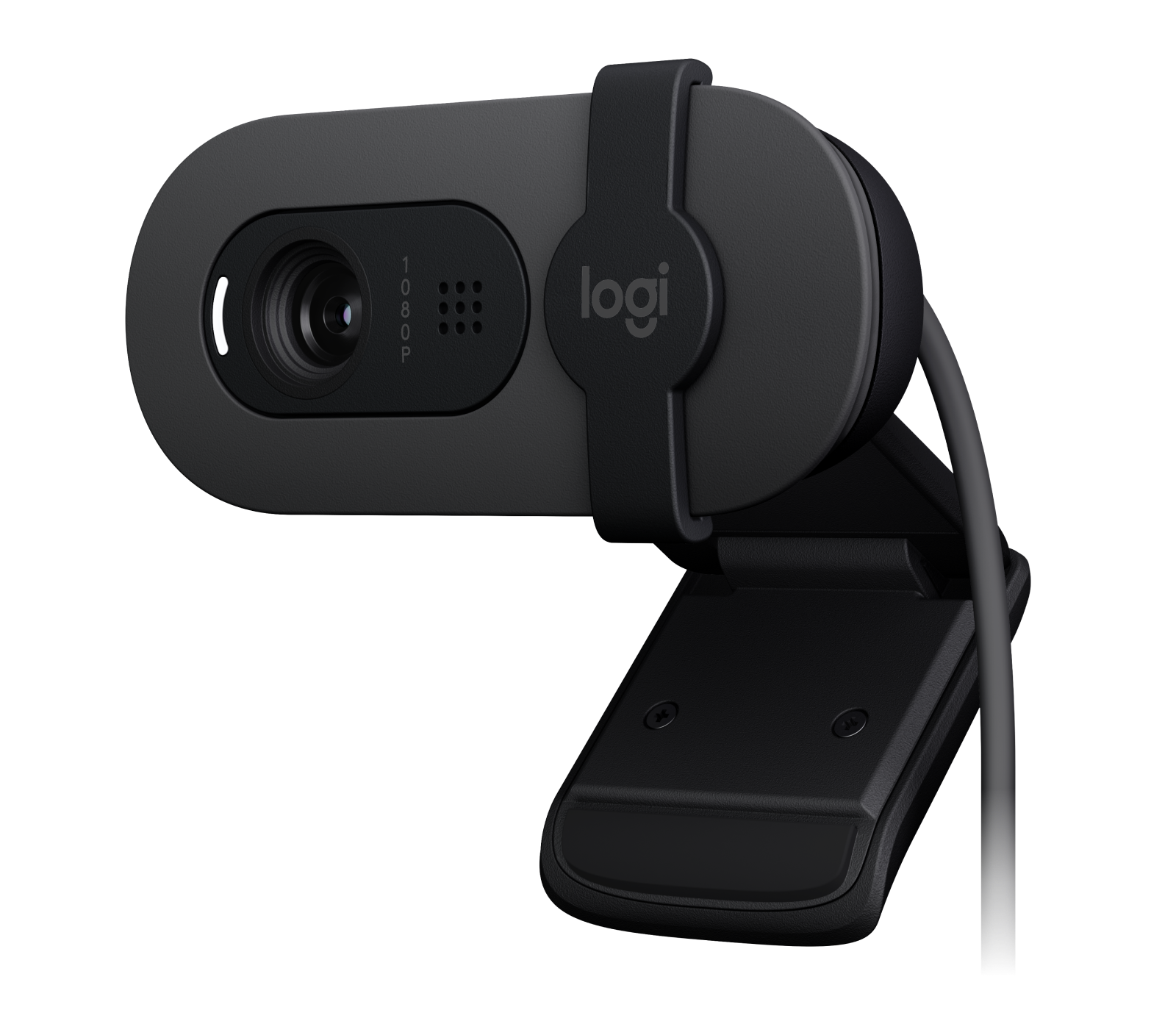
Logitech Brio 105 Business Webcam (Brio 105 / 960-001590) is the best budget pick at about RM179. Its 2MP CMOS sensor records 1080p/30 or 720p/30, with RightLight 2 for basic automatic light correction. The 58° diagonal field of view is deliberately narrow: it keeps a one-person call tidy when your desk, bedroom or background is cramped. Fixed focus rewards a normal seated position, and the integrated privacy shutter is a useful physical habit between classes and meetings. Its attached 1.5 m USB-A cable, monitor clip and approximately 75 g body are uncomplicated to live with.
The trade-off behind the low price is clear. There is one omnidirectional microphone rated at about 1 m, no tripod mount, no autofocus and no 60fps option. If you regularly move closer to the screen, demonstrate objects or want a broader frame, the Brio 105 will feel restrictive. Check current stock and dispatch timing with the seller; the RM179 guide price does not establish availability. Official material states a three-year limited hardware warranty, but Malaysian buyers should confirm that the unit is local, the invoice is acceptable and the seller will help with a claim. For East Malaysia, ask whether dispatch and returns add courier time or cost.
Pros
- Lowest approximate price in this group for 1080p/30 calls.
- Physical privacy shutter and simple monitor clip.
- Narrow framing works well for one person in a small room.
- Three-year limited hardware warranty is promising when local eligibility is confirmed.
Cons
- Fixed focus does not readjust when you bring objects close to the lens.
- 58° framing is less useful for two people or a demonstration.
- USB-A attached cable, no tripod thread and no 720p/60 mode.
- Seller stock and dispatch timing need a fresh check.
Who should buy it: Choose the Brio 105 if a student, remote employee or family member sits in one place and wants a privacy shutter at the lowest sensible spend. Who should avoid it: Skip it if you need USB-C without an adapter, autofocus or a tripod mount. The roughly RM130 gap to Brio 300 buys a wider 70° view and USB-C convenience, not a higher 1080p frame rate; spend it only if those details fit your desk.
Buy or avoid: Buy for a fixed-position single-person call setup; avoid it for moving presentations or streaming.
2. Logitech Brio 300 Full HD Webcam — best for everyday USB-C calls
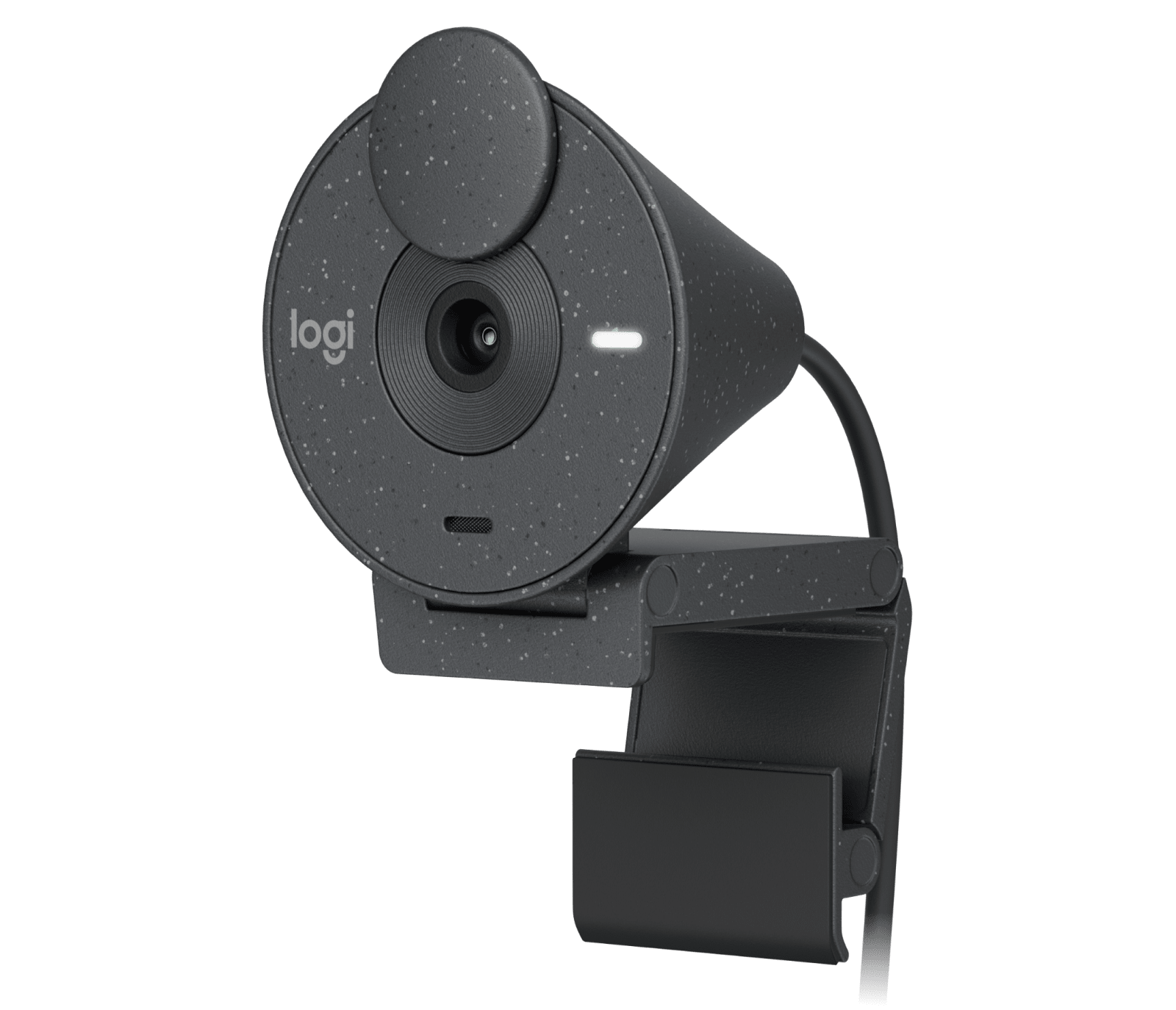
Logitech Brio 300 Full HD Webcam (Brio 300 / 960-001437) is the balanced everyday choice at approximately RM309. It also uses a 2MP sensor with 1080p/30 or 720p/30 and RightLight 2, so the meaningful upgrade over Brio 105 is not resolution. Its 70° diagonal field of view gives a little more breathing room for a notebook, whiteboard edge or natural hand gestures while keeping a solo speaker central. The attached 1.5 m USB-C cable suits a modern laptop, and the rotating privacy shutter is easy to close when the call ends. At roughly 74.6 g including clip and cable, it does not burden a monitor.
Brio 300 remains a fixed-focus, mono-microphone webcam. Logitech describes its mono microphone as noise-reducing and lists a range of up to 1.22 m on the Malaysia product page; microphone count alone does not rank speech clarity. There is no tripod mount, autofocus, stereo audio or 60fps mode. Logitech’s Malaysia product page lists a one-year limited hardware warranty for Brio 300. Stock and dispatch timing still need a current seller check. Confirm the warranty issuer, local claim address, invoice requirements and return window before paying. East Malaysia shoppers should also compare the promised delivery date and the cost of sending a faulty unit back.
Pros
- USB-C connection reduces adapter dependence on newer laptops.
- 70° framing is more relaxed for everyday solo calls than 58°.
- Rotating shutter provides visible privacy control.
- Noise-reducing microphone is useful for everyday speech.
Cons
- Picture modes remain 1080p/30 and 720p/30, like Brio 105.
- Fixed focus will not refocus on close-up demonstration objects.
- No tripod mount for a separate camera position.
- Confirm that the seller’s unit qualifies for the stated one-year local warranty.
Who should buy it: Pick Brio 300 when your everyday device has USB-C, your framing needs are slightly wider and you value a clean, reversible privacy shutter. Who should avoid it: Do not pay RM309 if your computer only has USB-A and the 58° Brio 105 already frames you correctly; an adapter may erase the convenience. The extra roughly RM130 over Brio 105 buys connection and framing comfort, while the roughly RM190 saving versus C922 reflects the absence of autofocus, stereo microphones, tripod mounting and 720p/60.
Buy or avoid: Buy for regular USB-C laptop calls at a stable seated distance; avoid it if streaming motion or autofocus is central to your work.
3. Logitech C922 Pro Stream Webcam — best for streaming
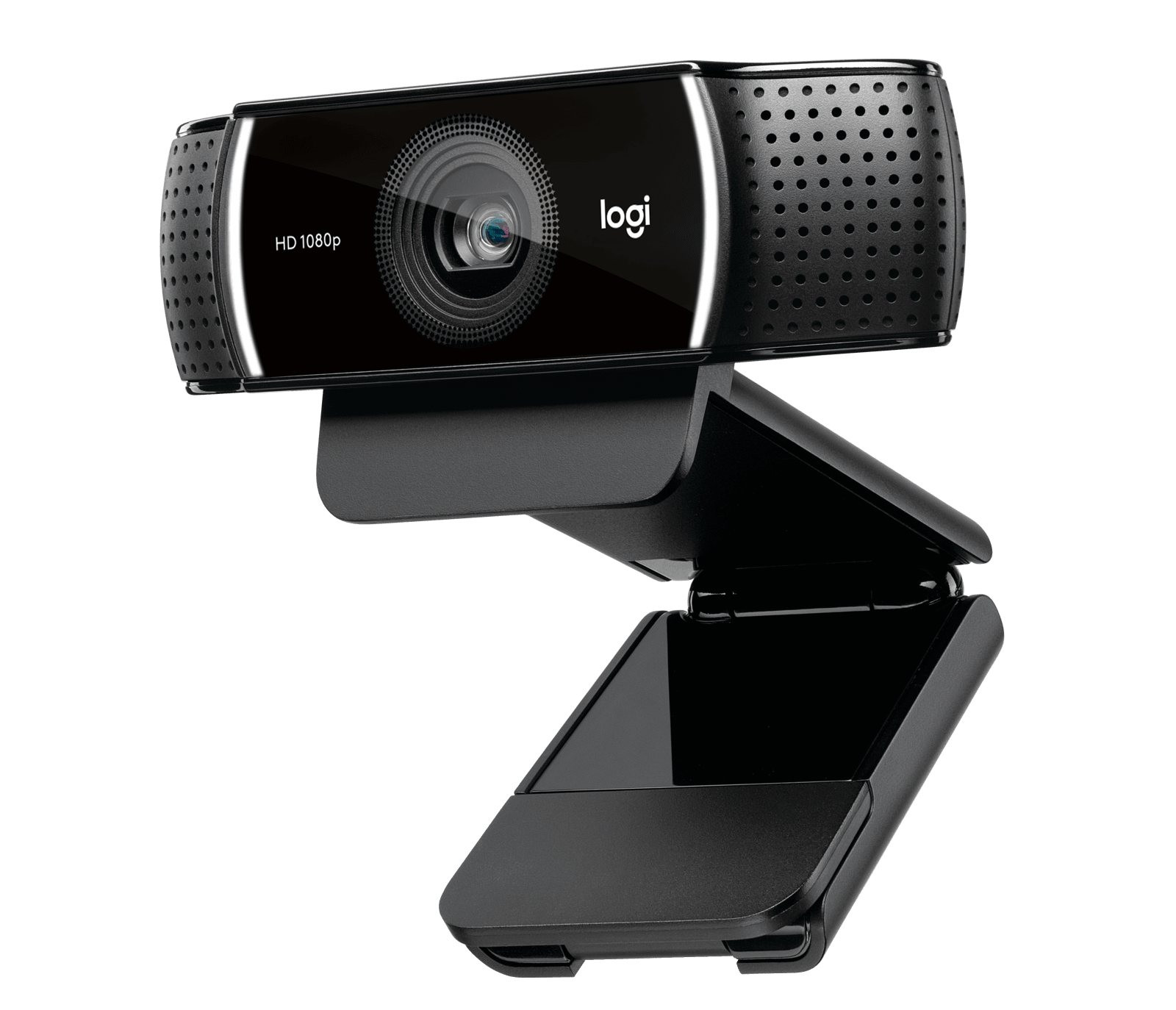
Logitech C922 Pro Stream Webcam (C922 / 960-001090) earns the streaming role at about RM499. Its glass lens, autofocus and automatic light correction are meaningful when a presenter leans toward a product, shifts in the chair or changes distance during a live session. The 78° diagonal field of view includes more of a desk, while 720p/60 can make hand movement in the webcam feed appear smoother; 1080p/30 remains available when detail matters more than motion. Dual stereo microphones and tripod mounting give it more placement flexibility than either Brio; a tabletop tripod is not guaranteed in every package.
That capability is not automatically useful for a routine video call. C922 has an attached 1.5 m USB-A cable and no physical privacy shutter, and its wider frame can reveal a messier room. Autofocus can also hunt if a busy background competes with your face. Its clip has a ¼-inch tripod thread. Logitech’s Asia-language setup guide says a tripod is not included, while some regional bundles include one; ask the seller what comes with the exact 960-001090 listing. At ~RM499, the price gap over Brio 300 pays for autofocus, wider framing, smoother 720p motion, stereo microphones and a tripod mount; it does not guarantee flattering light or broadcast-quality sound. Confirm the seller’s written warranty duration, Malaysian claim route and delivery estimate for your postcode. A previous retailer’s terms do not establish today’s warranty or arrival date for a different listing.
Pros
- Autofocus and glass lens suit presenters who change distance.
- 78° view and 720p/60 are useful for streaming movement.
- Dual stereo microphones and a tripod-ready mounting clip add flexibility.
- More flexible than fixed-focus Brio models for creator setups.
Cons
- Highest price here for buyers who only make static calls.
- No physical privacy shutter, so use a cover or unplug it when needed.
- USB-A requires a suitable data adapter on a USB-C-only laptop.
- Tripod inclusion, local warranty and postcode-specific delivery must be checked.
Who should buy it: Choose C922 if you stream, teach with movement, show objects or need a tripod-ready camera that can refocus. Who should avoid it: Avoid the premium spend if you sit still in a well-framed call, require a physical privacy shutter or expect USB-C. A lamp and a nearby headset may deliver a larger everyday improvement than its extra features.
Buy or avoid: Buy for streaming, demonstrations and moving presenters; avoid it when Brio 105 or Brio 300 already solves your calls.
Final verdict
Best overall for most USB-C laptop users: Logitech Brio 300, because its 70° view and shutter make daily calls comfortable without paying for creator hardware. Best budget: Brio 105, provided its framing, USB-A connection and seller’s delivery timing fit your setup. Best situational: C922 for streaming and movement. Lighting still comes first: face a lamp or window, keep the microphone close, and test the meeting app at your intended resolution. Before checkout, compare voucher-adjusted price, exact model number, included cable or tripod, Malaysian invoice, warranty issuer, delivery promise and East Malaysia return route.
Malaysia buying checklist
Save the product page, invoice and serial number. Ask whether “local warranty” means Logitech support or only a shop promise, and whether return shipping is paid by the buyer. A lower marketplace price can be sensible only when the seller identifies the warranty path and the box contains the advertised accessories. For Sarawak and Sabah, a delivery estimate is not the same as a guaranteed arrival date; allow time for a class or livestream and check damage-on-arrival procedures. Test USB recognition, privacy shutter, focus behaviour, microphone pickup and the supplied clip as soon as the parcel arrives.
FAQ
Is the most expensive webcam automatically the clearest? No. C922 adds autofocus and 720p/60 flexibility, but a well-lit Brio can look better in a static call. Do I need 60fps? Usually not for meetings; it matters more for streaming movement. Which one protects privacy best? Both Brio models have a physical shutter, while C922 buyers should use a separate lens cover or unplug it when not in use.
Specification check, 2 October 2026: Logitech Brio 105 specifications [1], Logitech Malaysia Brio 300 [2], Logitech C922 specifications [3] and C922 regional setup guide [4]. This is a specification-based comparison, not a hands-on test. Reference prices are retained from the guide; current seller stock, prices and delivery were not verified in this update.
Pingback: September 2026: Webcam Terbaik untuk Kegunaan di Malaysia
Pingback: 2026年9月:马来西亚 Webcam 选购指南