
Quick choice: Choose the TP-Link Deco X10 two-pack to keep the initial spend down and stay in the Deco family. The MERCUSYS Halo H80X two-pack is the stronger specification-for-price option here if you are starting a new mesh network. Pay more for the TP-Link Deco X50 two-pack when you want AX3000 radios, three Ethernet ports per unit and compatibility with an existing Deco network.
Shopee buying options
TP-Link Deco X10 (2-pack)
MERCUSYS Halo H80X (2-pack)
TP-Link Deco X50 (2-pack)
This Malaysia buying guide compares three exact two-unit retail kits, all above RM200. It is based on manufacturer specifications, setup guidance and Malaysian retail listings checked on 3 October 2026. We have not tested their speed, roaming or wall penetration. Recommendations below are our interpretation of the documented features and prices.
Wi-Fi 6 mesh two-packs at a glance
| Exact kit | Reference price | Advertised radio rates | Ethernet per unit | Main reason to choose it |
|---|---|---|---|---|
| Deco X10, 2-pack | RM409 | AX1500: 1,201 Mbps at 5 GHz + 300 Mbps at 2.4 GHz | 2 × Gigabit | Lowest entry price here; Deco expansion View Shopee buying options |
| Halo H80X, 2-pack | RM479 | AX3000: 2,402 Mbps at 5 GHz + 574 Mbps at 2.4 GHz | 3 × Gigabit | More radio capability and ports for RM70 above X10 View Shopee buying options |
| Deco X50, 2-pack | RM599 | AX3000: 2,402 Mbps at 5 GHz + 574 Mbps at 2.4 GHz | 3 × Gigabit | AX3000 within the Deco ecosystem View Shopee buying options |
Price sources: [1], [2], and [3]. These are advertised listing references retrieved on the check date; stock, shipping, vouchers and final totals can change. No purchase or checkout was performed.
The AX number adds the advertised rates of separate bands. It is not a promised download speed for one phone. All three have Gigabit Ethernet rather than 2.5GbE, and all are dual-band systems without a separate third radio dedicated to wireless backhaul. Compatible clients, channel conditions, walls and the link between nodes affect actual performance. Manufacturer specifications: [4], [5], [6].
1. TP-Link Deco X10 two-pack: lower-cost entry to Deco
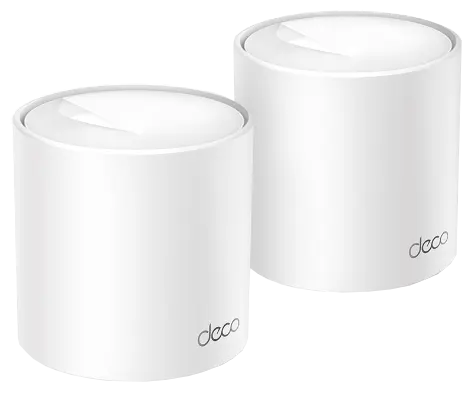
Fits: buyers with a modest budget who mainly need to bring usable Wi-Fi closer to a work area or bedroom, particularly when retaining compatible Deco units is useful. At these reference prices it saves RM190 against the X50 kit.
The meaningful compromise is in the radios and ports. X10 uses Wi-Fi 6 on 5 GHz; its 300 Mbps 2.4 GHz specification is 802.11n. Each unit has two Gigabit ports. Its official package list confirms two X10 units, two power adapters and one Ethernet cable. [4].
Pros
- Lowest advertised two-pack price in this comparison
- Can remain part of a Deco network if you later add another Deco model
- Supports router or access-point operation and optional Ethernet backhaul
Trade-offs and poor fits
- Not the strongest specification choice if you can spend another RM70 and do not need Deco compatibility
- Only two ports per unit: connecting the main X10 to both the ISP equipment and the second node uses both ports on that main unit
- A higher advertised broadband tier does not remove its radio, backhaul or Gigabit-port limits
Decision: shortlist X10 for the lower entry price and Deco compatibility. If those are not priorities, compare H80X before paying. [1].
2. MERCUSYS Halo H80X two-pack: AX3000 value for a fresh setup
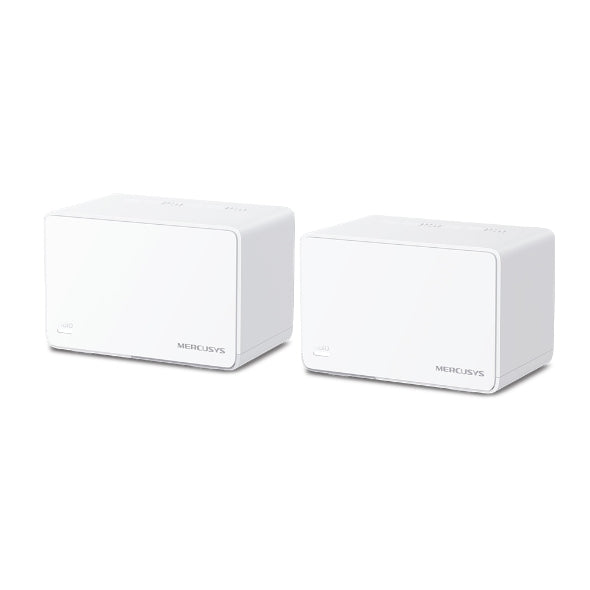
Fits: a new home or small-office network where the price, three ports per node and AX3000 radio specification matter more than keeping an existing Deco installation. Its RM479 reference sits RM70 above X10 and RM120 below X50.
The Malaysian manufacturer page explicitly offers a two-pack. H80X supports 160 MHz channels and three auto-sensing Gigabit WAN/LAN ports per unit. Wider channels are a capability to use when clients and local conditions permit, not a guarantee of twice the usable speed. [5].
Pros
- AX3000 and three ports per unit at the lower of the two AX3000 prices here
- Ethernet backhaul can carry traffic between the nodes when a cable route is available
- Router and access-point modes let it work with different existing network arrangements
Trade-offs and poor fits
- Does not join a Deco mesh; Halo and MERCUSYS EasyMesh are also separate systems
- H-series and S-series Halo units cannot be combined, so check the exact expansion model
- Setup and full management need the MERCUSYS app and a MERCUSYS ID; it is a poor fit if avoiding an app account is essential
Those compatibility and account limits are documented in the [7], [5] and [8]. The retailer does not identify the shipped hardware revision; confirm it before relying on a revision-specific firmware feature.
Decision: our value shortlist for a fresh setup, based on the listed price and features, not a speed-test win. [2].
3. TP-Link Deco X50 two-pack: AX3000 with Deco expansion
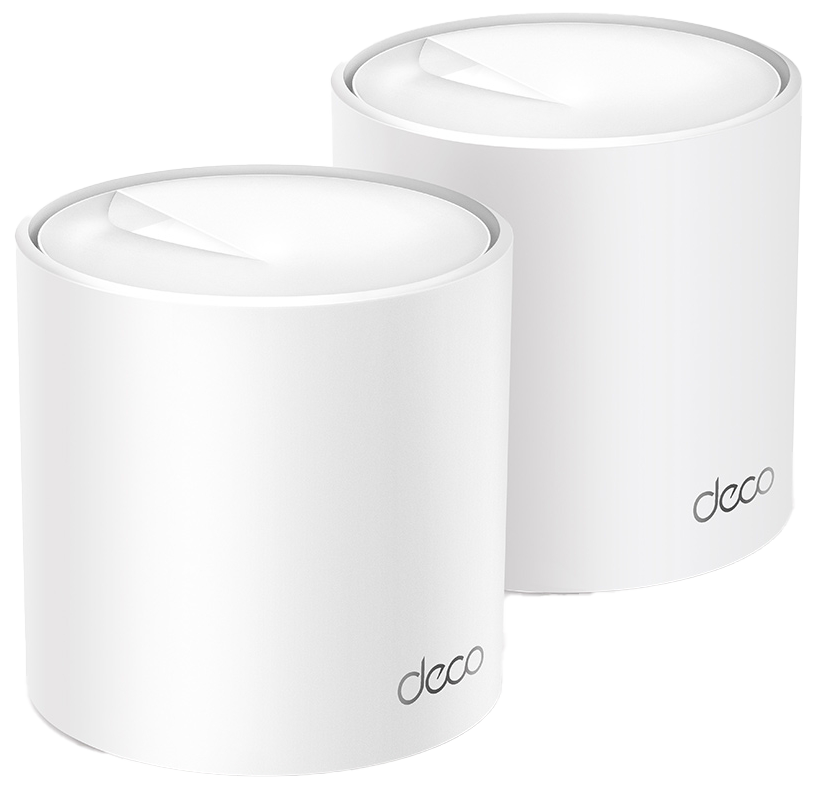
Fits: buyers already using Deco, or those who specifically want the Deco app and HomeShield feature options. Its three Gigabit ports per node offer more connection flexibility than X10, while the 5 GHz radio supports HE160.
Pros
- AX3000 radios and three ports per unit
- Compatible with other Deco models for an expanding network
- Optional Ethernet backhaul plus HomeShield basic and paid feature choices
Trade-offs and poor fits
- Costs RM120 more than H80X at these references without adding multi-gigabit ports or a dedicated third backhaul band
- Some advanced HomeShield functions carry a subscription
- App-led administration requires a TP-Link ID
Decision: choose X50 when Deco compatibility or its documented software options justify the premium. We cannot infer better wall penetration or faster real-world throughput from the price. This is the ordinary Deco X50 two-pack; X50-5G, X50-PoE and other suffixed versions are different products. [6], [9], [3].
Backhaul and layout matter more than the box coverage claim
Backhaul is the connection between the two mesh units. With a wireless link, the nodes share radio resources with connected devices. Ethernet backhaul gives that link a cable path, which can help when a floor slab or several walls sit between the units. All three support it; it does not convert their Gigabit ports into multi-gigabit ports. [10] and [11].
- Condo or single-storey home: try an open position between the main unit and the weak room. Putting the satellite inside the existing dead zone can leave it with a poor upstream link.
- Terrace house or two floors: a landing or stairwell is a starting position to test. Concrete floors can make an Ethernet run more useful than paying for a higher AX label.
- Small office: count the wired printer, PC and switch connections before buying. In a two-node wired setup, X50 and H80X leave one spare port on the main unit after the ISP and backhaul connections; X10 leaves none.
These are placement suggestions, not coverage guarantees for a floor area or house type. Keep units in ventilated open locations, then check the node link and test from the rooms you actually use. Brand coverage figures are not a controlled comparison. [12] and [13].
Unifi, Maxis, TIME and your existing ONT: check the connection first
These kits take an Ethernet internet connection. They do not replace the fibre ONT or turn a fibre socket into Ethernet. Identify whether your ISP box is a separate ONT or a combined optical router before removing equipment.
- Keeping the ISP router: connect the main mesh unit by Ethernet and consider access-point mode. The existing router then handles the internet login and routing. This can avoid adding a second NAT layer, but mesh gateway features such as parental controls and QoS may be unavailable in AP mode.
- Replacing only the router: ask your ISP for the required connection type, PPPoE login if applicable, and VLAN settings. Confirm IPTV and telephone requirements separately. PPPoE support alone does not prove every Malaysian fibre setup is plug-and-play.
- Wiring the second node: follow the vendor topology. In router mode, the satellite belongs behind the main mesh unit, directly or through a switch on its LAN side. An IPTV-assigned port may be unavailable for ordinary data or backhaul.
References: [14], [15], [16], [17] and [18]. Menus and features vary with model, hardware revision and firmware; confirm the current settings for your own service.
Ownership costs, apps and Malaysian warranty
Budget beyond the kit: allow for any extra Ethernet cable, installation labour or switch, electricity for two powered nodes, and your continuing broadband bill. A switch adds ports; it cannot remove a 1 Gbps upstream-port limit. We have not measured power consumption, so we do not estimate an electricity bill from adapter ratings.
Software: basic Wi-Fi does not require buying an optional security subscription. TP-Link documents free basic HomeShield functions and paid upgrades; plans, features and local prices must be checked in the Deco app for the exact hardware. Its published dollar prices refer to the US, so they should not be relabelled as Malaysian charges. Trials can renew automatically. For H80X, the product page lists parental controls and app management without a separate mandatory subscription; it does not establish a lifetime guarantee for every future service. [19], [20], [5].
Accounts: Deco setup and management use the Deco app and TP-Link ID; Halo H-series use the MERCUSYS app and ID. The person who will maintain the network should control the account. Check app compatibility with their phone before buying. [9], [8].
Local warranty: the Malaysian policies list three years for Deco and Halo main products, with only three months for included power adapters and other listed accessories. Both state there is no international warranty. Obtain eligible Malaysian stock and keep the purchase invoice; do not assume an imported set gets the same local service. [21], [22].
Before you choose a two-pack
- Confirm the exact model, two units, local stock, hardware revision and included Malaysian power adapters
- Identify whether the problem is weak Wi-Fi, a slow ISP connection or an older client device
- Check the ISP login, VLAN, IPTV and phone requirements before replacing the router
- Plan two power points and a workable node-to-node link; price a cable route if walls or floors are difficult
- Count spare Ethernet ports after the ISP connection and backhaul, then add any switch cost
- Confirm app/account requirements, optional subscriptions, invoice, warranty handling and final delivered price
Common questions
Will AX3000 deliver 3 Gbps internet?
No. It is a combined radio-class label. These AX3000 kits have Gigabit Ethernet, and usable Wi-Fi throughput depends on the client and network conditions. A broadband plan above 1 Gbps calls for a different assessment of port speeds and the whole connection path.
Can I mix Deco and Halo to save money?
They do not form one managed mesh together. Choose expansion units for the mesh family you already own. A shared brand relationship or the phrase “mesh Wi-Fi” is not enough to establish compatibility.
Are two units enough for a double-storey house?
That cannot be guaranteed from a listing. Start with the floor plan, wall and floor materials, node positions and whether Ethernet backhaul is practical. More nodes cannot reliably fix a poor link if they are placed without checking it.
Our final selection: X10 for the lowest entry price and Deco continuity; H80X for a fresh AX3000 setup at the lower reference price; X50 for AX3000 within Deco. Spend on the layout and backhaul plan before assuming a more expensive box will solve every weak room.
References and image credits
- E Cytech: X10 two-pack RM409
- Brightstar: H80X two-pack RM479
- E Cytech: X50 two-pack RM599
- X10
- H80X
- X50
- Halo/EasyMesh explanation
- MERCUSYS account guidance
- account requirements
- Deco cabling guidance
- Halo cabling guidance
- Placement guidance
- coverage limitations
- Deco with an existing router
- Deco VLAN settings
- Deco IPTV and Malaysian ISP profiles
- Halo AP mode
- Halo router/AP feature differences
- HomeShield plans and renewal notes
- free/paid feature comparison
- TP-Link Malaysia warranty
- MERCUSYS Malaysia warranty
Pingback: 马来西亚 Wi-Fi 6 Mesh 两只装:Deco X10、Halo H80X 与 X50 怎么选 - Eazy Picks
Pingback: Mesh Wi-Fi 6 Malaysia: Deco X10, Halo H80X dan X50 Dua Unit - Eazy Picks